

Minako
Warm, and quietly present
The default companion. Soft paper tones and a composed presence for focused engineering work.
 Cometline
Get the DMG
Cometline
Get the DMG
Local-first desktop AI
Cometline combines a calm desktop surface with a serious local runtime: streaming reasoning, visible tools, durable memory, a persistent wiki, and workspace-aware sessions for long-form technical work.
A native macOS app that keeps your code, models, and memory local. The interface stays out of the way so you can focus on long-form technical work.
Personas
Switch companions in Settings. Each persona has its own avatar, app icon, and SOUL system prompt, while the runtime and interface stay the same.
Minako
The default companion. Soft paper tones and a composed presence for focused engineering work.

Souma
A more personal companion voice, still grounded in the same runtime, tools, and interface model.
Features
The interface stays airy and readable while exposing the things that matter when you are doing serious work with an agent: sessions, workspaces, and a companion that can sit beside the rest of the desktop.
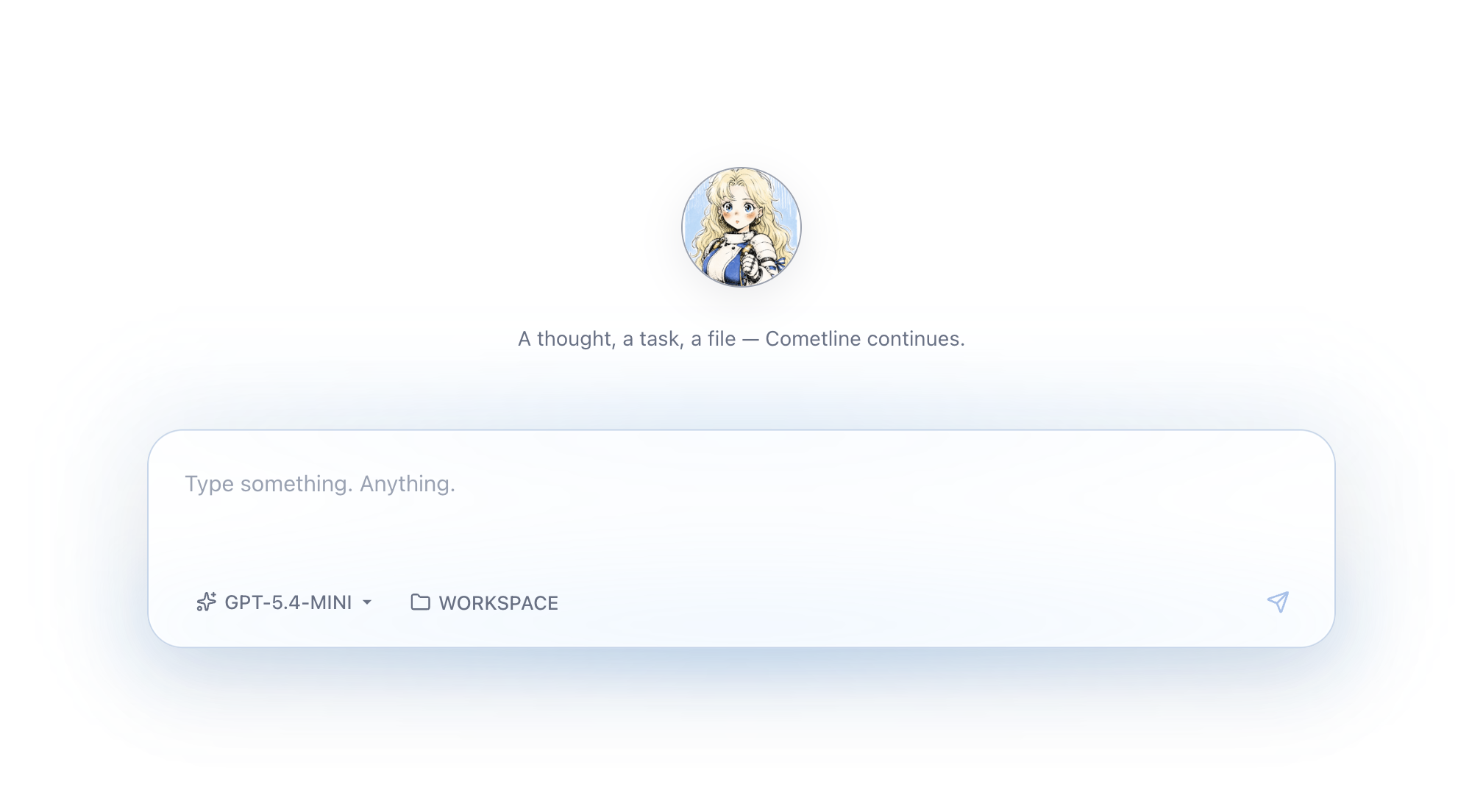
Elegant composer
The composer feels soft and editorial, but it is still built for slash commands, tools, and long-running technical conversations.
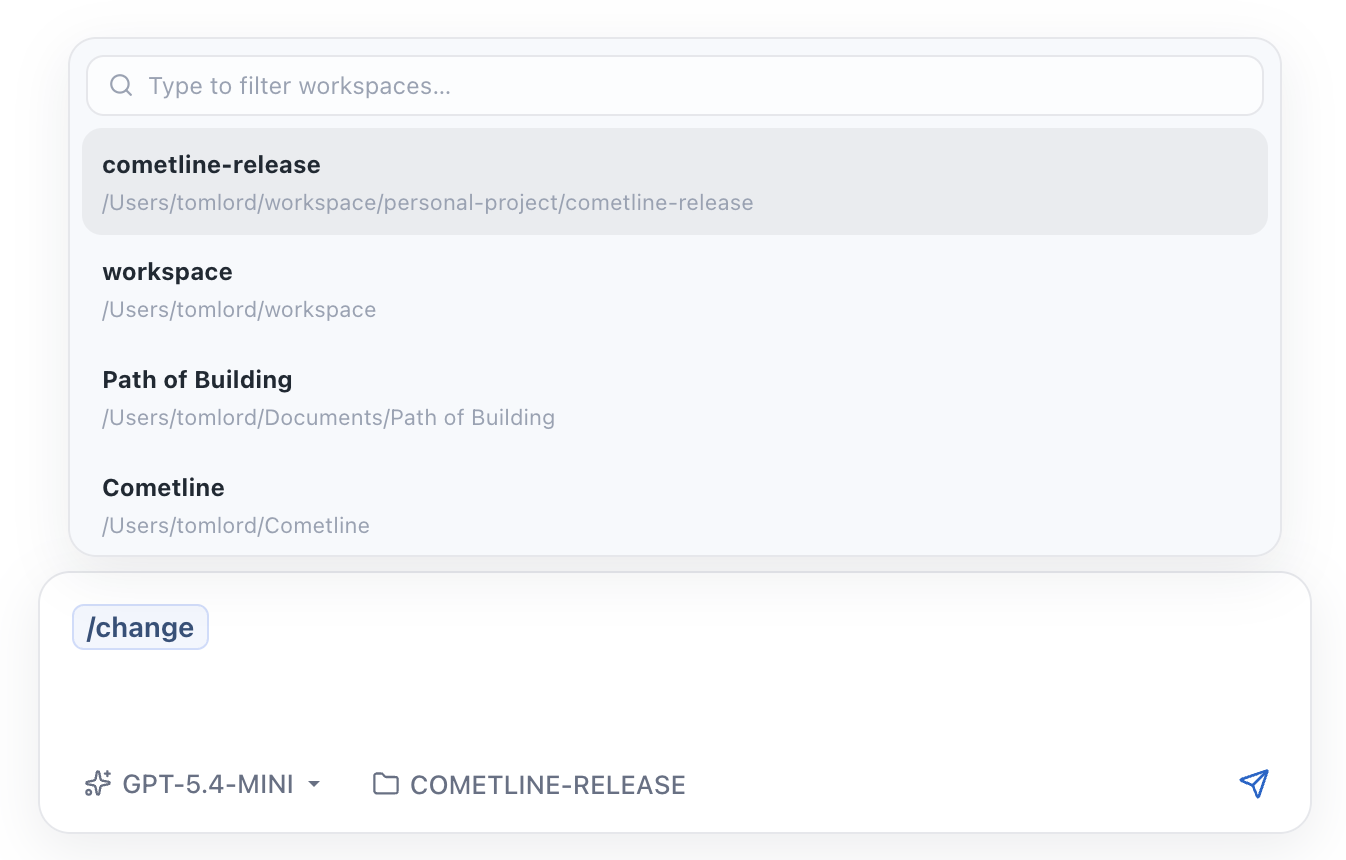
Forking sessions
Branch a conversation into a different direction when you want to compare ideas, try another model, or split implementation paths.
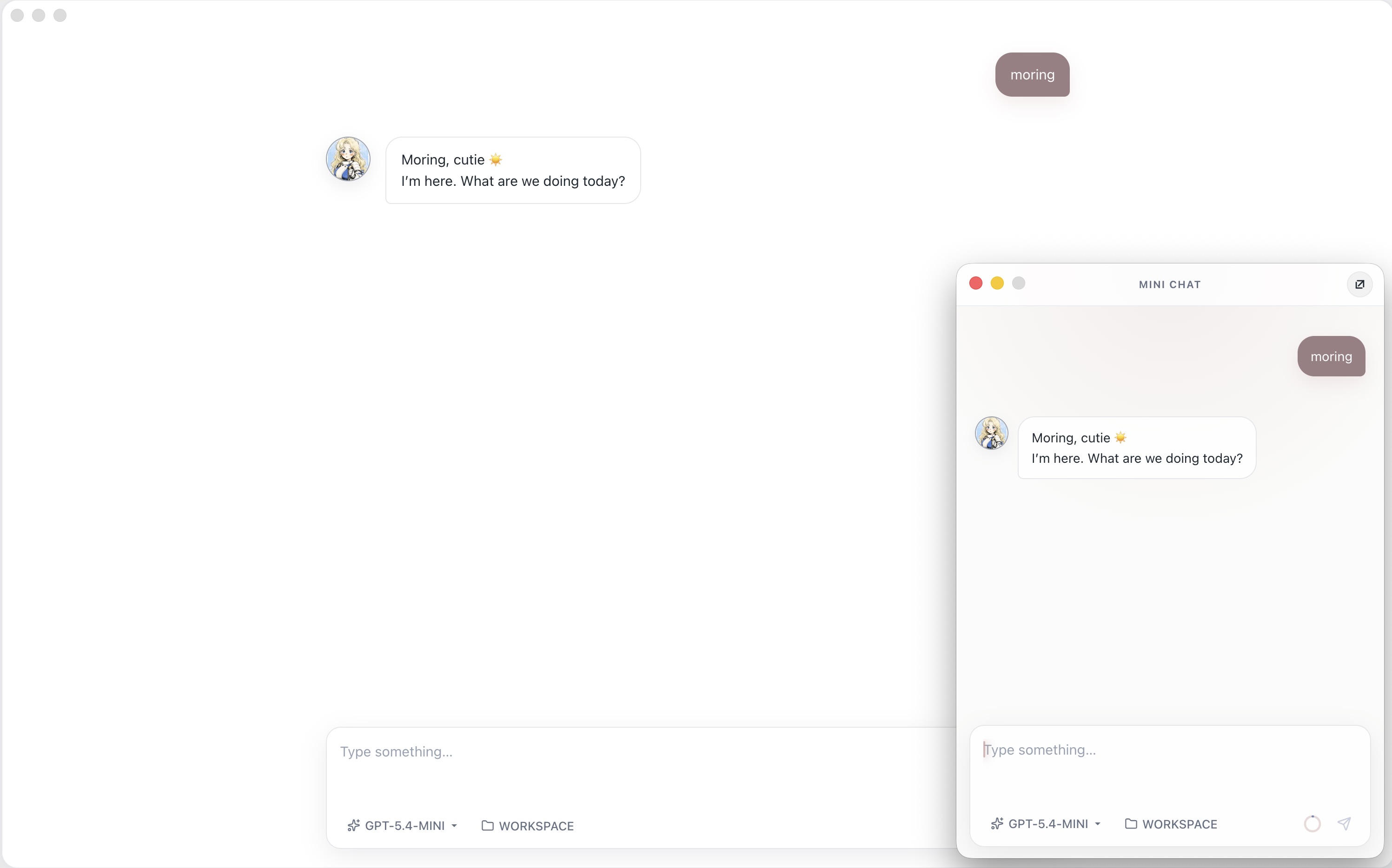
Mini window
A compact window and session drawer keep the companion nearby when you are in another app, with the same sessions across workspaces.
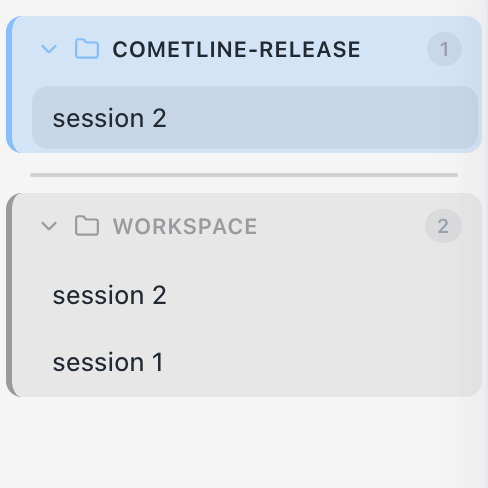
Workspaces
Sessions, tools, and memory stay scoped to the workspace. File access stays sandboxed, and the sidebar groups chats by the project they belong to.
Capabilities
Beyond the surface polish, Cometline ships memory, a persistent wiki, inbox notes, scheduled jobs, delegation, skills, and provider flexibility. All of it runs on your machine, with workspace-scoped boundaries.
Semantic memory
Relevant memories are retrieved before each turn and new facts are captured automatically, scoped to the workspace so preferences and decisions stay attached to the project they belong to.
LLM wiki
A persistent wiki lives on your machine, with backlinks, browse and edit in the
workspace panel, and a built-in /llm-wiki skill to ingest, query, and
lint pages over time.
Jobs and inbox
Put tasks on a Kanban-style board, schedule one-shots or cron, and let an optional worker claim them. When something finishes, a short note lands on the bell. Reply later to turn it into memory, or dismiss it.
Coding agents
Native file and shell tools stream diffs in chat, and parallel subagents can split the work. When you want a specialized harness, delegate to OpenCode, Claude Code, or Codex without leaving the desktop.
Agent Skills
Invoke reusable prompt templates with commands like /tdd and
/create-skill, plus custom skills discovered from your workspace and
global skill directories.
Workspace surface
Browse the web, the workspace tree, and wiki pages side by side. Capture a page, file, or terminal selection as a composer chip. Each session has its own terminal.
Multi-provider
Switch between Anthropic, OpenAI, OpenAI-compatible APIs, local Ollama, OpenCode Go, ChatGPT Codex, and xAI Grok. Configure providers, keys, and default model roles from Settings.
MCP tools
Connect Model Context Protocol servers to expose additional tools to the main agent: databases, APIs, and custom integrations, without forking the runtime.
Discord bot
Run CometMind as a Discord bot with per-thread sessions, persistent memory, @mention gating, and the same skill invocation you use in the desktop app.
Workflow
The desktop shell handles the atmosphere, UI, workspace panel, terminal, inbox, jobs, and native feel.
The local runtime manages sessions, tools, persistence, memory, wiki, scheduling, and streaming.
The provider layer normalizes model I/O and keeps vendor integrations coherent.
Download
The download buttons resolve to the newest DMG published on GitHub Releases. Or
install with Homebrew:
brew install --cask cometline/tap/cometline

